
Connect unitQ to Slack to get real-time customer insights, right where your teams collaborate. Stay ahead of emerging problems, align cross-functional teams instantly, and take action faster, all powered by the authentic voice of your customers.
Slack and unitQ
Ditch manual, biased and late customer insights.
Pinpoint real issues and needs instantly.
The most accurate customer insights platform

Aggregate
Integrate with any channel and translate 100+ languages

Categorize
ML assigns every touchpoint to 1,000+ custom categories.

Analyze
Create custom dashboards, and ask agentQ business critical questions.
Take Action
Get alerts on trending issues, prioritize your roadmap, create tickets, and more.
Get real-time customer insights directly in Slack
Integrate unitQ with Slack to keep the right teams in the loop with real-time insights they need to quickly identify, prioritize, and resolve customer issues.

Get real-time alerts
Be the first to know when new or trending issues emerge. unitQ detects patterns in feedback and sends alerts directly to the right teams in Slack for faster action.
Send reviews to Slack
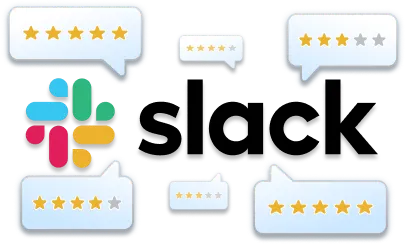
Automatically route customer reviews into relevant Slack channels to keep your team connected to the voice of the customer.
Installing the unitQ app for Slack Is easy
Steps to connect unitQ with Slack
Log in to unitQ if you are not already logged in.
Go to the Integrations tab in the left-hand sidebar.
Search for Slack and click the Available button.
Click the Add Channel button.
You are redirected to Slack. Select the Slack team and channel to which unitQ should post notifications about incoming reviews, trends and issues.
You are redirected back to unitQ. Click Close.
Disclaimer: The unitQ app monitors user feedback to send notifications directly to your Slack workspace, leverages Large Language Models (LLMs) to summarize insights within our platform, which may occasionally produce inaccurate outputs. unitQ does not use Slack data to train its LLM.








Trusted by Category Leaders








See it in action
Join category leaders and start using AI to drive growth, reduce churn, and build loyalty with unitQ.
Get a demo